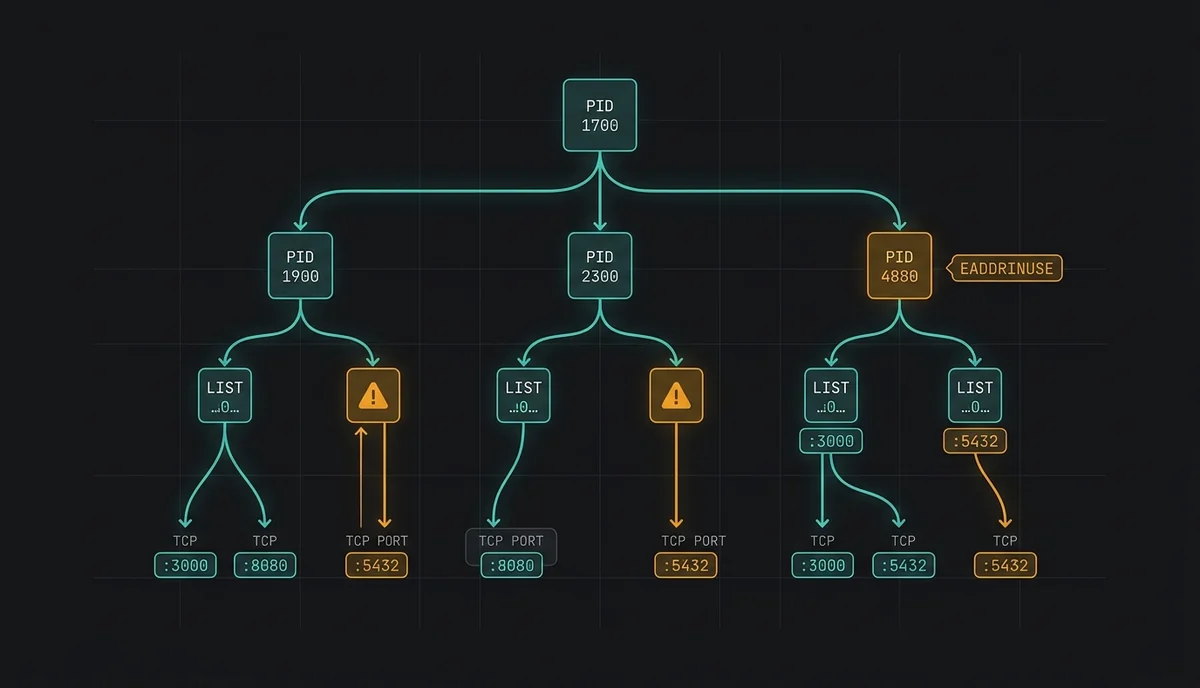
Why EADDRINUSE Happens (and Why Blind kill -9 Fails)
When starting a Node.js, Python, or Vite dev server throws `Error: listen EADDRINUSE: address already in use :::3000`, the OS kernel is telling you another socket or lingering child process already holds that TCP port.
Blindly killing a single PID often fails because a supervisor like nodemon, PM2, systemd, or Docker respawns the worker immediately—or `docker-proxy` masks which container actually owns the port.
Error: listen EADDRINUSE: address already in use :::3000
    at Server.setupListenHandle [as _listen2] (node:net:1904:16)
    at listenInCluster (node:net:1961:12)
Finding the Port Owner on Windows, Linux & macOS
You can inspect the owning PID on all three operating systems with built-in commands. Checking the parent process (`PPID` / `ParentProcessId`) prevents killing a child worker only to watch its supervisor respawn it.
# Linux / macOS (port 3000)
lsof -i :3000 -n -P
ss -tulpn | grep :3000

# Windows PowerShell (port 3000 + proses adı + üst proses)
Get-NetTCPConnection -LocalPort 3000 | Select-Object LocalPort, State, OwningProcess
Get-CimInstance Win32_Process -Filter "ProcessId = <PID>" | Select-Object ProcessId, ParentProcessId, CommandLine
Masked Ports Inside Docker & CI Pipelines
When a container holds the port, host-level `lsof` only reveals `docker-proxy` or `com.docker.backend`. Match the published host port against running containers before stopping anything.
# Hangi Docker konteyneri 3000 veya 5432 portunu yayınlıyor?
docker ps --format "table {{.ID}}\t{{.Names}}\t{{.Ports}}" | grep -E "3000|5432"

# Yalnızca çakışan konteyneri durdur
docker stop <CONTAINER_ID>
Inspect & Clean the Full Process Tree in One Command with PortTree
Instead of memorizing platform-specific `netstat`, `lsof`, and PowerShell flags, my zero-dependency CLI tool PortTree maps sockets to the full parent process tree across Linux, macOS, and Windows and performs safe two-stage termination.
# Kurulum veya klonlama sonrası port 3000 denetimi
python -m porttree --port 3000

# CI ön kontrolü: port boşsa exit 0, meşgulse exit 1
python -m porttree --assert-free 3000 --json

# Güvenli iki aşamalı temizlik (SIGTERM -> timeout -> SIGKILL)
python -m porttree --kill 3000
Source: PortTree — Zero-Dependency Socket & Process Tree Inspector
Source: Port conflicts and process trees: PortTree architecture